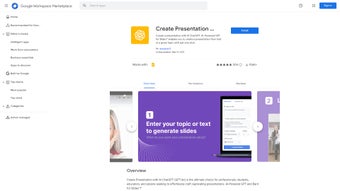

Download AI GPT – AI Presentation Maker, Automatic Slides Generator
Overview
AI GPT for Slides is a cloud‑based presentation assistant that converts raw content—articles, lecture outlines, research papers, or even YouTube videos—into a polished slide deck with a single click. The platform blends advanced natural‑language processing with visual design heuristics, automatically extracting key points, generating concise bullet lists, drafting speaker notes, and selecting relevant royalty‑free images. Designed for busy professionals, educators, and students, the tool removes the repetitive formatting work that traditionally consumes hours of preparation time.
Users simply paste or upload their source material, choose a visual style and tone, and let the AI draft a ready‑to‑present deck that can be edited in seconds. Because AI GPT lives entirely in a web browser, there is no need for bulky installations, and the interface works on any device capable of running modern browsers. The seamless Google Slides integration allows the final deck to be edited directly in a familiar environment, while a built‑in PowerPoint export ensures compatibility with Microsoft Office users.
Multilingual support expands the reach to more than 15 languages, making the service suitable for global teams. Security is a core priority: all data is encrypted in transit, processed on ISO‑27001 certified servers, and automatically deleted after 48 hours unless retained by the user. Whether you are preparing a quarterly business review, a classroom lecture, or a conference keynote, AI GPT for Slides promises to shrink the creation cycle from hours to minutes, letting you focus on storytelling instead of formatting.
Key Features & Compatibility
AI GPT for Slides packs a robust set of capabilities that cater to a wide range of presentation needs while remaining accessible on any operating system with a modern browser. The following list highlights the most impactful features, and a compatibility paragraph follows to assure users that the service works across Windows, macOS, Linux, Android, and iOS platforms.
- One‑Click Generation: Transform articles, topic lists, or YouTube URLs into a complete slide deck with a single button press.
- Smart Content Summarization: AI extracts the most important points, creates logical sections, and writes concise bullet points.
- Customizable Design Templates: Choose from a library of color palettes, fonts, and layout styles that automatically adapt to your content.
- AI‑Generated Images: When a visual cue is needed, the tool can create royalty‑free illustrations or diagrams that match the slide’s theme.
- Tone & Style Controls: Select a writing tone—formal, conversational, persuasive, or academic—to match the audience and purpose.
- Multilingual Support: Create presentations in more than 15 languages, with automatic translation of generated text.
- Google Slides Integration: Export directly to Google Slides, preserving animations, speaker notes, and editability.
- PowerPoint Export: Download decks as .pptx files for seamless use with Microsoft PowerPoint.
- Real‑Time Error Assistance: The platform highlights ambiguous input and offers suggestions to improve the source material before generation.
- Secure Cloud Processing: All data is encrypted in transit and processed on compliant servers, ensuring privacy for corporate and academic users.
- Frequent Updates: New templates, language packs, and AI model improvements are pushed automatically without user intervention.
The service runs on any operating system that supports a modern web browser—including Windows 10/11, macOS Monterey and later, popular Linux distributions, Android 8+ and iOS 13+. Because the heavy lifting occurs on remote servers, device performance has little impact on generation speed. The only requirement is a stable broadband connection for uploading source files and downloading the final deck. For enterprises behind strict firewalls, an optional VPN‑compatible endpoint is available to maintain compliance.
Pros, Cons & Frequently Asked Questions
Pros
- Rapid creation reduces preparation time dramatically.
- High‑quality visual design without needing a graphic designer.
- Direct Google Slides and PowerPoint export preserve editability.
- Multilingual generation broadens reach for international audiences.
- Secure, cloud‑based processing meets corporate compliance standards.
- Regular feature updates keep the tool fresh and competitive.
Cons
- Reliance on internet connectivity; offline use is not supported.
- Free tier limits the number of slides per month.
- Complex scientific data may require manual refinement after generation.
- Customization beyond provided templates may need external design tools.
- Power users may find the UI less granular than dedicated desktop software.
FAQ
Can I use AI GPT for Slides without a Google account?
Yes. While Google Slides export requires linking a Google account, you can still generate a deck and download it as a PowerPoint (.pptx) file for use in Microsoft PowerPoint or any compatible software.
How does the AI handle copyrighted images?
The image generation module creates original visuals based on text prompts, avoiding copyrighted material. When you request stock images, the service pulls from royalty‑free libraries that are cleared for commercial use.
Is there a limit to the length of the source article?
The free plan supports up to 5,000 words per generation. Paid plans raise this limit to 20,000 words and provide batch processing for multiple documents.
Can I customize the AI‑generated speaker notes?
Absolutely. After the deck is created, each slide includes a speaker‑notes pane that you can edit directly in the web UI or later in Google Slides.
What security measures protect my uploaded content?
All data transfers use TLS 1.3 encryption, and servers are ISO‑27001 certified. Uploaded files are automatically deleted from the server after 48 hours unless you opt to keep them in your account.
Overall Rating: 4.5/5
Pros: Fast generation, excellent design templates, strong Google Slides integration.
Cons: Requires internet, limited slides on free tier.
Conclusion & Call to Action
AI GPT for Slides stands out as a practical, AI‑driven ally for anyone who regularly builds visual presentations. By handling the heavy lifting of content summarization, slide structuring, and visual styling, the platform frees users to concentrate on message delivery and audience engagement. The seamless Google Slides connection, multilingual capability, and secure cloud processing make it a versatile choice for corporate teams, academic staff, and independent creators alike. While the free tier’s slide limit may prompt power users to upgrade, the value delivered per minute saved is compelling. If you’re looking to cut down on repetitive slide work, boost the visual impact of your decks, and enjoy a tool that evolves through regular updates, AI GPT for Slides is ready to download and try today.
Click here to download AI GPT for Slides and start creating smarter presentations instantly.



.png)



